QR codes for retail windows and promotions: sell to people who walk past
A shop window works 24 hours a day; your till doesn't. A QR code in the window turns after-hours foot traffic into online orders, bookings and newsletter signups — and a code next to a shelf promo answers "is there more of this?" without staff. The catch: retail codes are scanned from farther away and through glass, so the defaults that work on a flyer fail here.
The 10:1 rule decides your print size
A QR code is comfortably scannable at roughly 10× its own width. Work backwards from where the customer stands:
- Shelf talker / counter card (30–50 cm away) → 3–5 cm code.
- Window sticker, close to the glass (~1 m) → 10 cm code.
- Window poster read from the sidewalk (2–3 m) → 20–30 cm code.
Full table in the QR size & scan-distance guide.
Glass, glare and lighting
- Mount the print flat against the inside of the glass — an air gap doubles reflections.
- Use matte paper or matte lamination; gloss under streetlight is the top killer of window codes.
- Keep the code at eye height (140–160 cm) and make sure it is lit after closing time.
- High contrast: dark modules on white. Brand-colored codes are fine if the built-in contrast check passes.
Rotate offers without reprinting: dynamic codes
Promotions change weekly; posters shouldn't. With a dynamic codethe printed code stays identical while you repoint it — this week's sale, next week's new arrivals, the holiday gift guide. And because each code has scan analytics, you can finally answer placement questions with data:
- Left window vs. right window — which side of the door gets scanned?
- Do people scan more during opening hours or after closing?
- Which shelf promo actually drives traffic to the online catalog?
3 dynamic codes are free with an account — enough for a window, a counter and a shelf test. Unlimited codes are a flat $29/year, with no per-scan fees.
Checklist before you print
- Pick the destination: online store, booking page, catalog, or signup — one clear action per code.
- Generate it in the free generator; add a short call-to-action line above the code ("Scan to shop the sale").
- Export vector SVG/PDF at final size — a 25 cm code from a stretched PNG will look ragged.
- Tape a test print to the inside of the glass and scan it from the sidewalk, at night, with two different phones.
FAQ
Will the code stop working when the promotion ends? The code keeps scanning — just repoint a dynamic code at the next offer. Static codes physically cannot expire; see codes with no expiration.
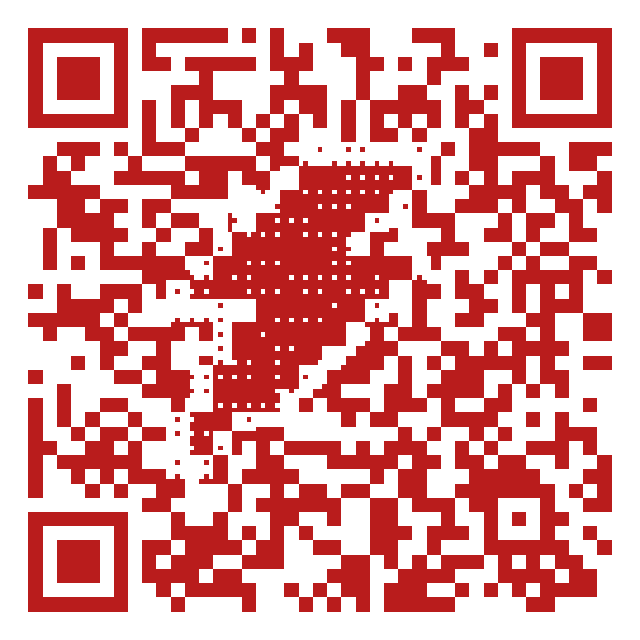
Can I brand the code? Yes — colors, a center logo, or a pixel-art icon or word drawn inside the code (like the SALE bolt above). Every art code is machine-verified before download.
Do I need a different code for each store? If you want per-location analytics, yes — dynamic codes make one-per-store cheap, and you can compare locations in one dashboard.
Generate a free QR code that never expires
No signup. No subscription. Generated in your browser.
Open the free generator →