How to Put a Picture Inside a QR Code (3 Ways That Actually Scan)
"QR code with a picture inside" can mean three very different things, with very different reliability. Before you print anything, it helps to know which technique you're actually using — because two of the three can be made print-safe, and one is a gamble.
Method 1: A logo in the center (most common)
The image doesn't really live inside the code — it covers the middle, and Reed–Solomon error correction repairs the covered data. This is the safest option for brand recognition:
- Use error-correction level H (tolerates ~30% damage).
- Keep the logo under ~20% of the code area, dead center.
- Never touch the three corner squares.
You can do this free, in your browser, with the HonestQR logo QR generator — upload a logo or pick a preset icon.
Method 2: Halftone pixel art (the picture is IN the modules)
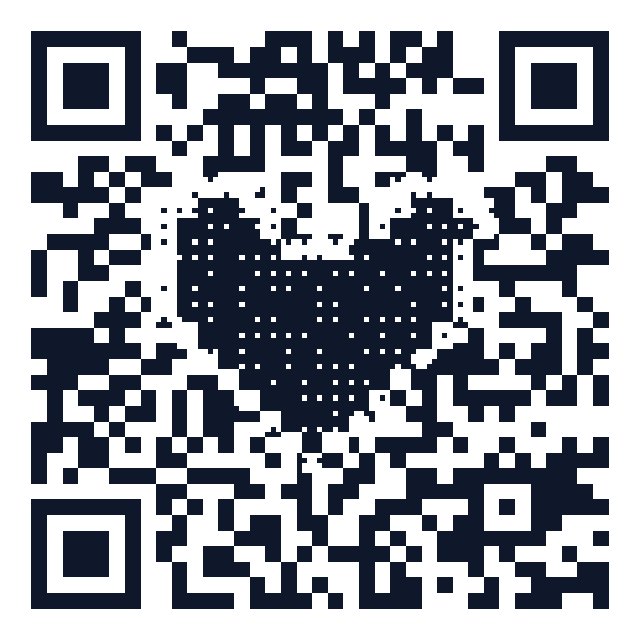
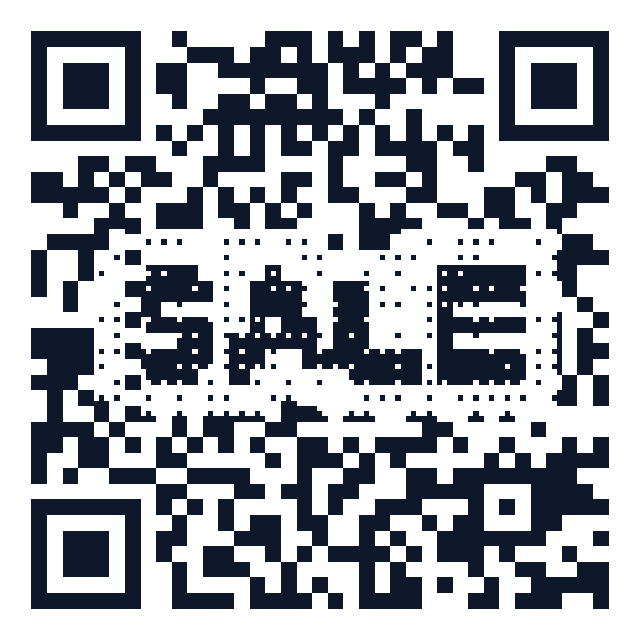
Halftoning subdivides every module into a 3×3 grid. Scanners only sample the center of each module, so the center subcell keeps the real data while the outer subcells draw your picture. The result: the artwork is woven through the entire code, not stamped on top. Done right, it is nearly as reliable as a plain code — our pixel art generator machine-verifies every render with a real decoder before you can download it.
Best for: pixel icons, short pixel text (SALE, MENU, 咖啡), retro/8-bit branding, and any picture that reads well at low resolution.
Method 3: AI-generated QR art (beautiful, but a gamble)
Since 2023, Stable Diffusion + ControlNet can generate a photo-like image whose light/dark structure doubles as a QR code — the viral "anime QR codes". The trade-offs are real:
- Scan success varies wildly by phone, angle, lighting and print size; many published examples need several attempts.
- Output is non-deterministic — you can't tweak one detail without regenerating everything.
- Raster-only output; no vector export for print.
AI art codes are great for social posts where a failed scan costs nothing. For menus, packaging or signage, use method 1 or 2. More on the underlying science:why artistic QR codes still scan.
Quick comparison
- Center logo — reliability ★★★★★ · effort: seconds · best for brands.
- Halftone pixel art — reliability ★★★★☆ (machine-verified) · effort: seconds · best for retro style and promo words.
- AI art — reliability ★★☆☆☆ · effort: minutes + GPU · best for wow-factor posts.
FAQ
Will a picture make my code expire? No. Styling never affects longevity. What makes codes "expire" is a dynamic redirect being switched off. All HonestQR styled codes are static by default and cannot expire.
What's the minimum print size? 2×2 cm for close-range scanning; add ~1 cm per meter of scan distance. Always keep the white quiet zone.
Should I test before printing? Always — scan the downloaded file with two different phones. Our pixel art tool automates this with a built-in decoder check, but a real-phone test is still good practice.
Generate a free QR code that never expires
No signup. No subscription. Generated in your browser.
Open the free generator →